The easiest way to remember wines you liked is to snap a photo of the label and save it with a quick thumbs up or thumbs down, right when you taste it. You don’t need tasting notes, scores or wine knowledge. You just need a simple place to keep them, so next time you’re standing in the wine aisle, you know exactly what to buy again.
Why we forget wines we loved
It happens to almost everyone. You have a great glass at a friend’s house, a restaurant or a holiday dinner. You promise yourself you’ll remember it. A week later, you’re at the store and all you can recall is “it had a bird on the label.”
We forget wines for simple reasons:
- Labels look alike. Hundreds of bottles, similar names, similar art.
- We taste wine in busy moments. Dinners, parties and celebrations, not quiet note-taking time.
- Most wine apps are built for experts. They ask for scores, tasting notes and vintages, which feels like homework when you just want to remember “I liked this one.”
- Photos get lost. A label photo in your camera roll ends up buried between pictures of your dog and your grocery list.
A simple way to remember every wine
You don’t need a complicated system. Four quick habits are enough:
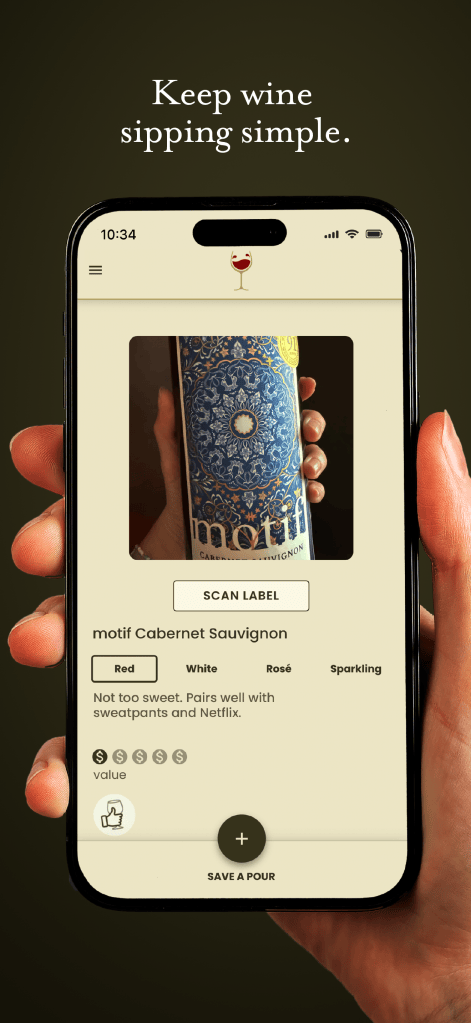
- Snap the label. A clear photo of the front label is the single most useful thing to save. It shows the name, the winery and often the grape and region.
- Give it a thumbs up or thumbs down. Did you like it or not? That’s the only opinion that matters when you’re shopping later.
- Add one short note, if you want. “Great with pizza.” “Too sweet for me.” “Brought by Mom at Thanksgiving.” One line is plenty.
- Keep a wish list. When a friend, a restaurant or an article recommends a wine, save it before you forget, then check your list next time you shop.
The key is doing it in the moment, in seconds, so it never feels like a chore.
How Pour Recall makes it easy
Pour Recall is a simple wine journal app built for people who just want to remember what they liked, not for wine experts. It’s available on iPhone and Android.
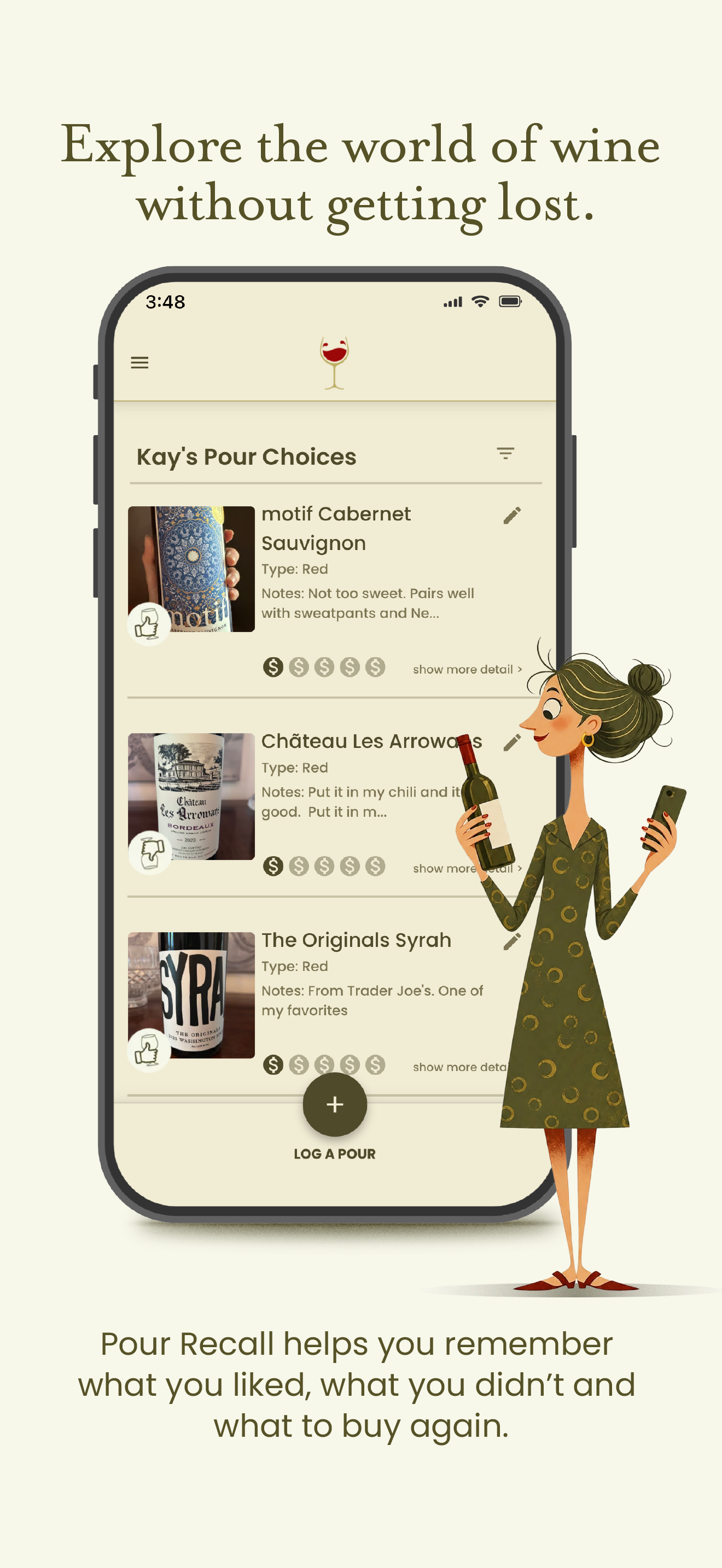
- Snap it. Sip it. Save it. Take a photo of the label, type the name and save. Only the wine name is required.
- Liked or Disliked. One tap tells future you whether to buy it again.
- Optional AI label scan. If you want, Pour Recall can read the label photo and fill in the name and type for you. It always asks first, and you can turn it off anytime. Typing it in yourself always works too.
- Pour Intentions, your wine wish list. Save wines you want to try, then move them to your journal once you’ve poured a glass. The wish list before the wine list.
- Share a wine with a friend. Send a wine by text or email. Friends with Pour Recall can add it to their own wish list with one tap.
- Search your journal. Find a wine by name, type, region or grape when you’re standing in the store.
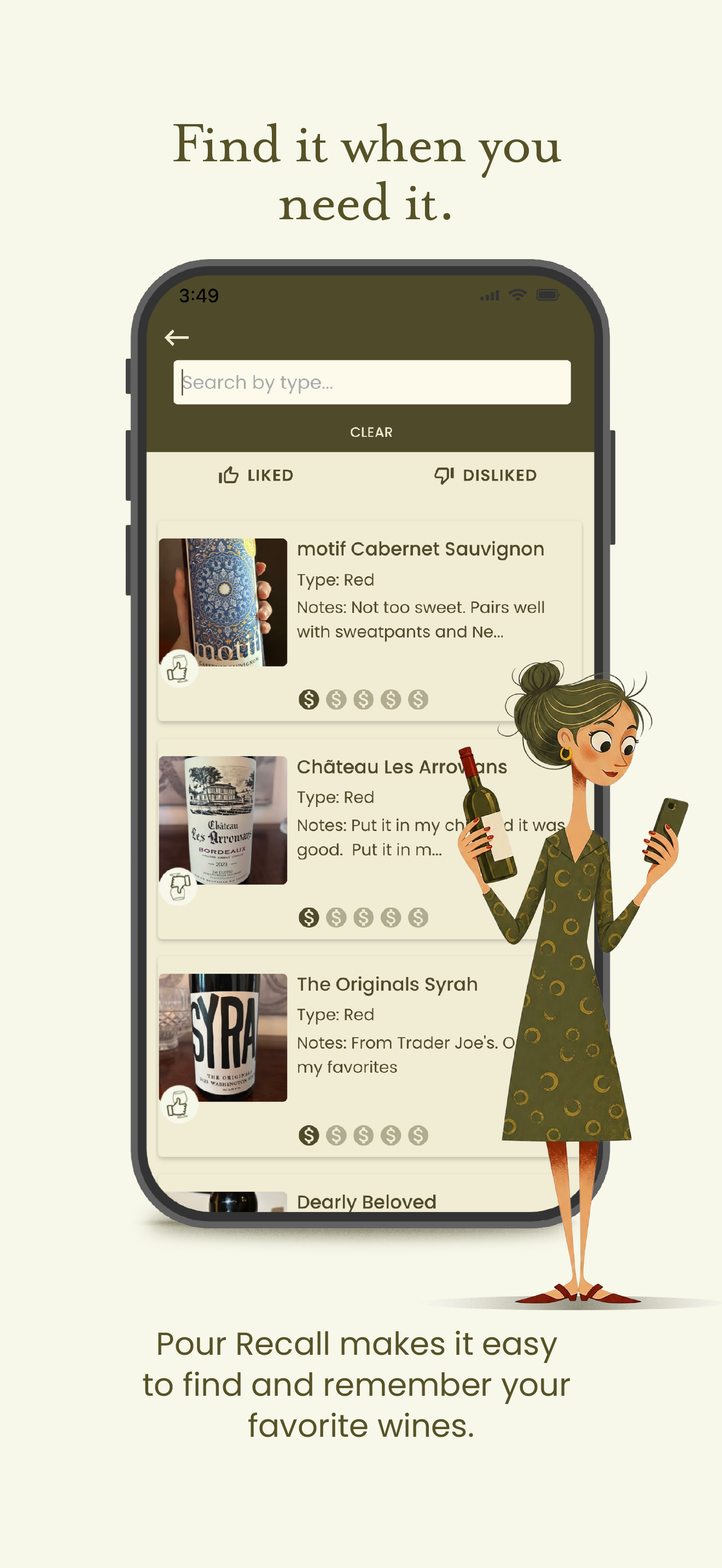
Pour Recall is free to download, and your first 5 wines are free. After that, a one-time $2.99 purchase unlocks Full Access, with no subscription.
Why I built it

I’m Liz, the founder of IFIO Girl in Kansas City. I built Pour Recall myself at 61, with no coding background, because I kept forgetting the wines I loved. Trader Joe’s is basically my wine cellar, and I was tired of staring at the shelf trying to remember which bottle I’d enjoyed. I wanted something quick and judgment-free: your wine, your opinion, no scores or homework. Today, Pour Recall has wine lovers in 13 countries.
Frequently asked questions
What’s the easiest way to keep track of wines I’ve tried? Take a photo of the label and save it with a quick Liked or Disliked rating in a simple wine journal app like Pour Recall. It takes seconds and works even if you know nothing about wine.
Do I need to know about wine to use a wine journal? No. Pour Recall doesn’t ask for scores or tasting notes. Only the wine’s name is required; everything else is optional.
How do I remember a wine someone recommended? Save it to a wish list right away. In Pour Recall, that’s Pour Intentions. When you finally try it, one tap moves it into your journal.
Is Pour Recall free? It’s free to download, and your first 5 wines are free. Full Access is a one-time $2.99 purchase with no subscription.
Does Pour Recall work on iPhone and Android? Yes. It’s on the App Store and Google Play.
Do I have to use AI? No. The AI label scan is optional, asks permission first, and can be turned off anytime in Account Settings.
Start remembering your wines
Snap it. Sip it. Save it. And never stand in the wine aisle guessing again.
Download Pour Recall on the App Store · Get it on Google Play · Learn more at pourrecall.com