
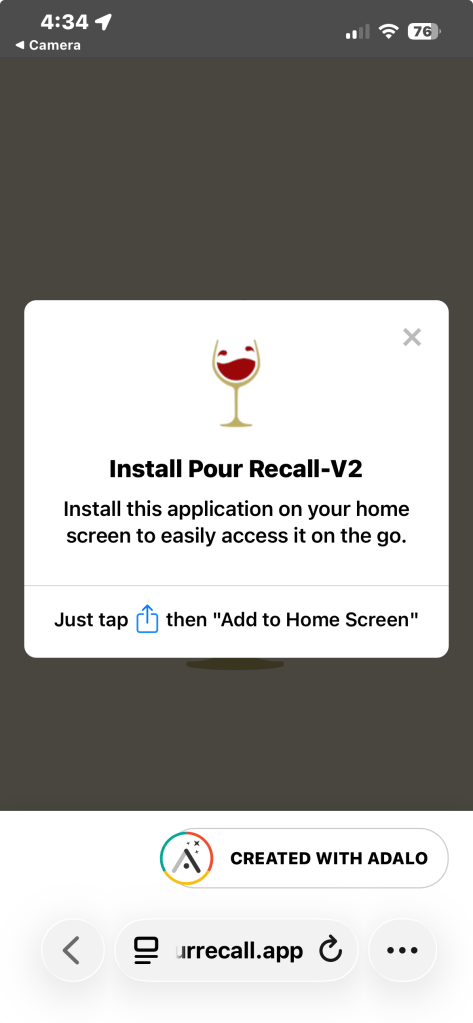
When you first open Pour Recall you’ll see a pop-up appear. Don’t worry about it — just follow these simple steps and Pour Recall will be sitting on your home screen ready to go in less than a minute.
iPhone Users
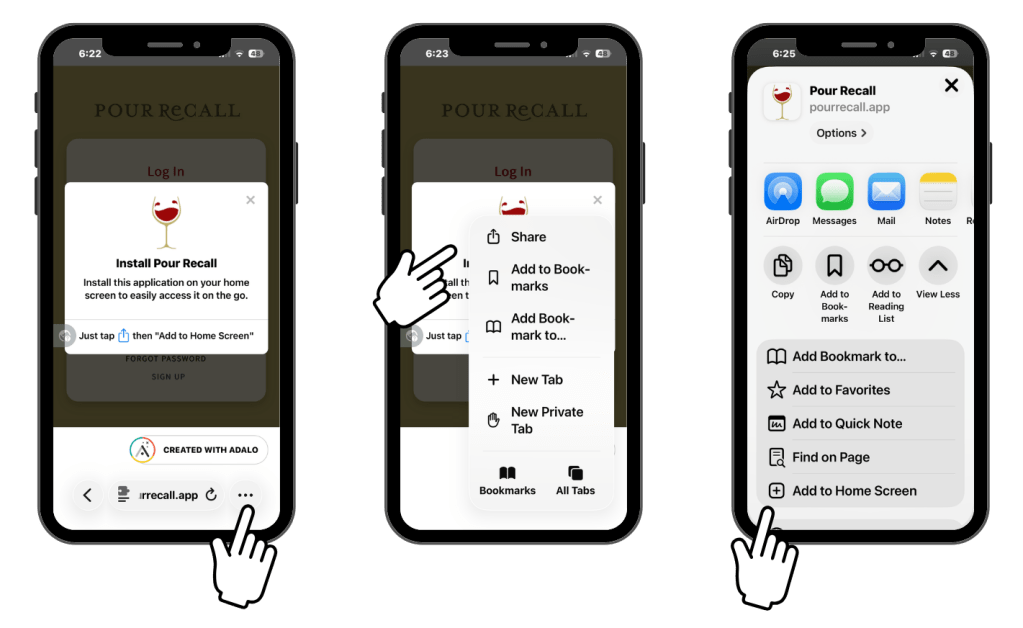
Step 1 — Tap the three dots Look at the very bottom right corner of your browser and tap the three dots (…)
Step 2 — Tap Share A menu will pop up. Tap Share at the top of the list.
Step 3 — Tap Add to Home Screen A new menu appears. Scroll down until you see “Add to Home Screen” and tap it.
Step 4 — Tap Add Tap “Add” to confirm and you’re done! ✅
Pour Recall will now appear on your home screen just like any other app.
Android Users
Good news — Android makes this even easier!
If a banner appears at the bottom of your screen: Tap “Install” or “Add to Home Screen” when prompted. Done in one tap! ✅
If you don’t see a banner:
Step 1 — Tap the three dots (…) in the top right corner of Chrome
Step 2 — Tap “Add to Home Screen” or “Install App”
Step 3 — Tap “Add” to confirm ✅
Pour Recall will now appear on your home screen just like any other app.
You’re All Set! 🍷
Pour Recall is now one tap away — right from your home screen, right when you need it.
And here’s a little bonus — now you know how to save any website to your home screen. It works the same way for any site you visit regularly. Not a bad trick to have in your back pocket!
Questions or need help? We will figure it out together.
Pour Recall is a project of ifiogirl — Kansas City-built.